In this blogpost, you will understand about how to insert data into Cosmos DB NoSQL API using Transaction Batch API with Python language.
I got the JSON data which has only one row per partition in the Nike Discounts file. Please experiment the batch API by changing the distribution of the JSON records. (Ex. Put 100 records under one partition key value)
Pre-requisites:
- An Azure Cosmos DB NoSQL API account
- GitLab personal account.
- A JSON file to insert the data. Download the Nike_Discounts file by signing up at Kaggle website.
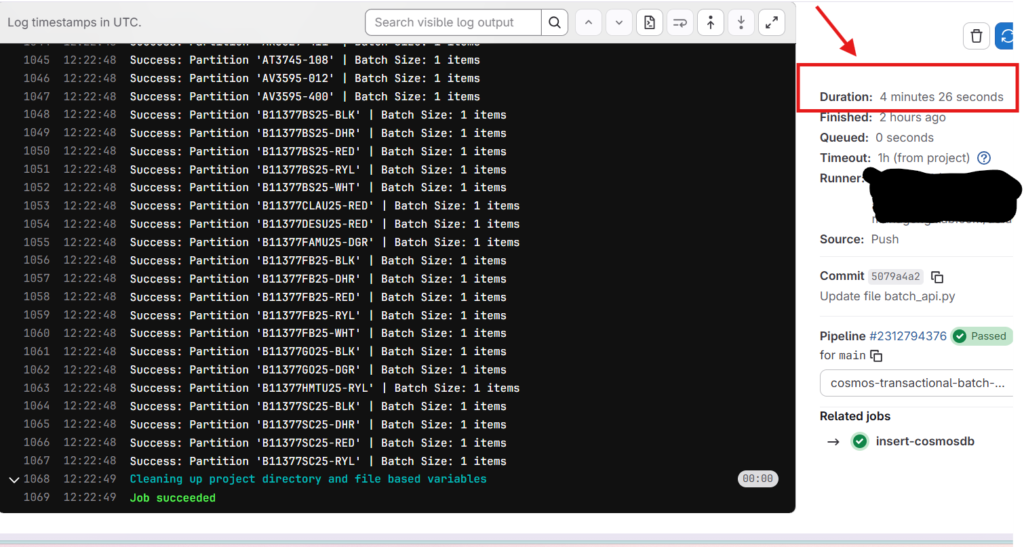
Results: Insertion of 1,000 JSON records into Cosmos DB container completed in 4 min 26 seconds.
I will explain why it took more time that the Asynchronous method of insertion.
Choose a Partition Key
In this demo, I considered product code as the partition key in my cosmos DB container. The chosen partition key is not the good one considering batch API as the CRUD operations can vary when working with Cosmos DB.
Essentially, if your data is scattered across hundreds of different partition keys with only one or two records each, you aren’t really “batching”, you’re just doing a series of individual saves. This API truly shines when you have “clumpy” data (lots of records sharing the same partition), allowing you to group them into a single, atomic “all-or-nothing” transaction.
Batch API Data Insertion in Cosmos DB NoSQL container
Using the below YML script for setting up the stage. Use Python code with batch API to insert the data into the container.
insert-cosmosdb:
  stage: cosmos-transactional-batch-api
  image: python:3.9-slim
  before_script:
    - pip install --upgrade pip
    - pip install azure-cosmos
  script:
- python batch_api.py $ENDPOINT $COSMOS_KEY Orders batchapiOrders nike_discounts.jsonPython Code for Transaction Batch API of Cosmos DB NoSQL API
Use the below Python script to insert data into Cosmos DB container.
# Get the Arguments
import json, sys, uuid
from azure.cosmos import CosmosClient, exceptions
from collections import defaultdict

# --- Configuration ---
ENDPOINT = sys.argv[1]
COSMOS_KEY = sys.argv[2]
DATABASE_NAME = sys.argv[3]
CONTAINER_NAME = sys.argv[4]
JSON_FILE_PATH = sys.argv[5]
PK_PATH = "product_code"

# Strict Cosmos DB Limits
MAX_BATCH_COUNT = 100
MAX_BATCH_SIZE_BYTES = 2 * 1024 * 1024

def get_batch_size_bytes(items):
    """Calculates the actual byte size of the items as a JSON array."""
    return len(json.dumps(items).encode('utf-8'))

def multi_partition_batch_generator(data_dict):
    """
    Iterates through partitioned data and yields batches
    respecting 100-item/2MB limits per partition.
    """
    for pk_value, items in data_dict.items():
        current_batch = []
        for item in items:

            # 1. --- MANDATORY ID CHECK --- If 'id' is missing, create a unique UUID
            if 'id' not in item:
                item['id'] = str(uuid.uuid4())

            # 2. If 'id' exists but is not a string, convert it  (Cosmos DB requires string IDs)
            if not isinstance(item['id'], str):
                item['id'] = str(item['id'])

            potential_batch = current_batch + [item]
            predicted_size = get_batch_size_bytes(potential_batch)

            if len(current_batch) >= MAX_BATCH_COUNT or predicted_size > MAX_BATCH_SIZE_BYTES:
                yield pk_value, current_batch
                current_batch = [item]
            else:
                current_batch.append(item)

        if current_batch:
            yield pk_value, current_batch

def run_batch_upload():
    client = CosmosClient(ENDPOINT, COSMOS_KEY)
    container = client.get_database_client(DATABASE_NAME).get_container_client(CONTAINER_NAME)

    with open(JSON_FILE_PATH, 'r') as f:
        raw_data = json.load(f)

    # 1. Group items by their partition key value
    partitioned_data = defaultdict(list)
    for item in raw_data:
        pk_val = item.get(PK_PATH)
        partitioned_data[pk_val].append(item)

    # 2. Process batches using the generator
    for pk_value, batch_items in multi_partition_batch_generator(partitioned_data):
        batch_operations = [("create", (item,)) for item in batch_items]

        try:
            # 3. Execute batch for the specific partition key
            batch_results = container.execute_item_batch(
                batch_operations=batch_operations,
                partition_key=pk_value
            )
            print(f"Success: Partition '{pk_value}' | Batch Size: {len(batch_items)} items")

        except exceptions.CosmosBatchOperationError as e:
            error_index = e.error_index
            error_response = e.operation_responses[error_index]
            print(f"\n--- Batch Failed for Partition: {pk_value} ---")
            print(f"Error at Item Index: {error_index}")
            print(f"Status Code: {error_response.get('statusCode')}")
            # Depending on your needs, you can 'break' or 'continue' to next partition
            continue

if __name__ == "__main__":
run_batch_upload()Smart Organization: The script acts like a sorting office, taking your raw JSON data and grouping every item by its Partition Key (product_code). It also “cleans” the data by ensuring every record has a valid unique ID string, which prevents the database from rejecting the upload.
Strict Limit Monitoring: A specialized generator function acts as a gatekeeper; it continuously watches the batch size to ensure it never exceeds 100 items or 2MB in total bytes. Once a limit is reached or the partition changes, it “yields” that specific chunk for processing.
Atomic Execution & Error Handling: Using the Transactional Batch API, the script sends the grouped items as a single “all-or-nothing” unit, ensuring data integrity. If a specific item causes a failure, the script uses a detailed error catcher to identify the exact culprit and reports it without stopping the entire migration.
Key Points for Beginners
- sys.argv: This is how the script “reads” the settings you type in the terminal.
- defaultdict(list): This acts like a sorting office, putting all items with the same partition key into the same folder.
- uuid.uuid4(): This generates a random, unique name so no two records accidentally overwrite each other.
- Transactional: This means either the whole batch of 100 saves perfectly, or none of them do preventing partial, messy data uploads.
- 2MB Limit: The script is smart enough to stop adding items to a batch before it gets too “heavy” for the network request.
- 400 Errors: By forcing id to be a string and ensuring the partition key matches, the script preemptively fixes the most common reasons Cosmos DB rejects data.
Outputs to Azure Cosmos DB Container records
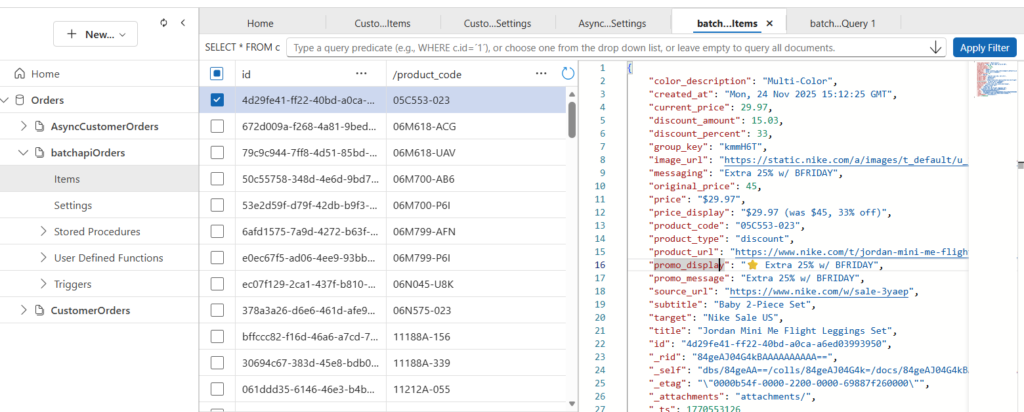
Once we ran the DevOps pipeline with Python script, you can see the records inserted into the container.
The time taken to insert into the container can be seen from the below image.
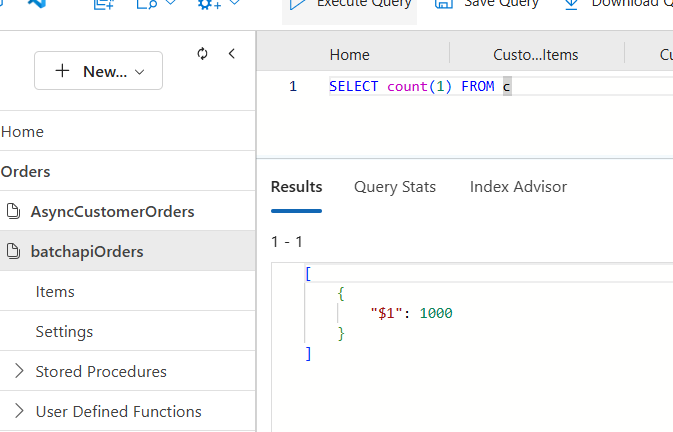
Validation of records in Azure Cosmos DB
Total records in the JSON file are equal to the records in the container.
Takeaway
The Transactional Batch API is a high-performance feature in Azure Cosmos DB that allows you to group multiple operations (Create, Upsert, Replace, Delete) into a single atomic request. Think of it as a “success-together or fail-together” mechanism; if any single operation within the batch fails, the entire transaction is rolled back, ensuring your database never ends up with partial or corrupted data.
Two Key Limitations
While powerful, the Transactional Batch API has two strict guardrails you must follow:
- Scope Limit: All operations within a single batch must belong to the same Logical Partition Key. You cannot span a transaction across different partitions.
- Size & Count Limit: A single batch is limited to a maximum of 100 operations and a total payload size of 2MB.
For deeper technical details, refer to the official documentation: Transactional Batch Operations in Azure Cosmos DB
Disclaimer: This content is human written including few AI written sentences and reflects hours of manual effort. The included code was AI-generated for reference purpose. Please adapt it to your project requirements, as it may not function exactly as expected.