Welcome back to Cloud Nerchuko! As data engineers and cloud architects, we are constantly making critical decisions about where our data lives. When migrating heavy workloads or building cloud-native applications from scratch, traditional relational databases don’t always cut it for massive scale. Enter the fully managed NoSQL heavyweights: AWS DynamoDB and Azure Cosmos DB.
Table of Contents
- The Core Philosophies
- When to Choose Which?
- Cost Comparison: RCUs vs. RUs
- Latency and Performance
- The Side-by-Side Comparison
- Final Thoughts
Both databases promise single-digit millisecond latency, infinite scale, and serverless pricing. But under the hood, they operate on entirely different philosophies. Choosing the wrong one can lead to bottlenecked pipelines, complex workarounds, and skyrocketing cloud bills.
Let’s break down the architectural differences, cost models, and performance metrics so you can make the right call for your next big data project.
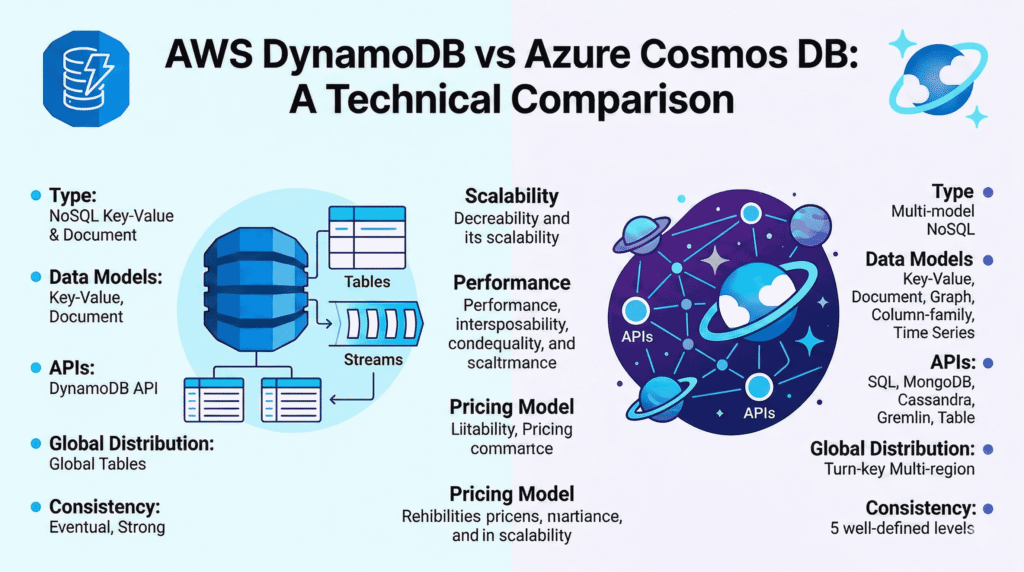
The Core Philosophies
AWS DynamoDB: The Purpose-Built Speed Demon
DynamoDB is built for extreme, predictable performance at any scale. It is strictly a key-value and document store. To get the most out of DynamoDB, you must embrace single-table design. You structure your data specifically around the exact queries your application will run. It requires rigorous upfront planning, but the reward is blazing-fast efficiency and deep integration with the rest of the AWS ecosystem (Lambda, Kinesis, IAM).
Azure Cosmos DB: The Multi-Model Powerhouse
Cosmos DB is designed for supreme flexibility and turnkey global distribution. Rather than forcing you into a single data model, it natively supports several APIs: SQL (Document), MongoDB, Cassandra, Gremlin (Graph), and Table.
This makes it an absolute lifesaver if you are migrating existing open-source NoSQL databases to the cloud or if you need to run complex SQL-like queries on NoSQL data. It plays perfectly with the Azure ecosystem (Data Factory, Fabric, Azure Functions).
When to Choose Which?
The choice rarely comes down to which database is “better”—it’s about which database fits your architecture.
Go with AWS DynamoDB if:
- Your stack is entirely AWS: If your data pipelines and compute rely on AWS services, DynamoDB is the natural fit.
- Your queries are predictable: You know exactly how you will retrieve your data (e.g., pulling a specific user’s metadata by ID).
- You need true serverless simplicity: DynamoDB’s On-Demand capacity mode scales flawlessly from zero to millions of requests without complex configuration.
Go with Azure Cosmos DB if:
- You are an Azure-first shop: If you are already building modern data architectures using Azure SQL Managed Instances, Microsoft Fabric, or Azure Data Lake, Cosmos DB integrates beautifully.
- You need query flexibility: You need to perform complex aggregations, joins, or filtering that would be a nightmare to model in DynamoDB.
- You are migrating legacy systems: The wire-level compatibility with MongoDB and Cassandra makes lifting and shifting existing applications significantly easier.
- You need multi-master global writes: Cosmos DB allows you to write data locally in any global region, ensuring low write latency for a globally distributed user base.
Cost Comparison: RCUs vs. RUs
Comparing costs is tricky because they bill differently.
- DynamoDB splits costs into Read Capacity Units (RCUs) and Write Capacity Units (WCUs). You can tune these independently. If your workload is highly variable, its On-Demand mode charges strictly per request.
- Cosmos DB uses a normalized currency called Request Units (RU/s), which bundles CPU, memory, and IOPS into a single metric for both reads and writes.
The Verdict on Cost: For simple key-value lookups and highly erratic traffic, DynamoDB is often more cost-effective. However, if you are running complex queries, Cosmos DB can be cheaper than trying to build complicated secondary indexes and scatter-gather workarounds in DynamoDB.
Latency and Performance
Both databases deliver elite performance, but they handle guarantees differently.
- DynamoDB reliably delivers single-digit millisecond latency for well-optimized, key-based queries. It is a workhorse that simply doesn’t slow down, provided your single-table design is solid.
- Cosmos DB goes a step further by offering financially backed Service Level Agreements (SLAs) guaranteeing latency under 10ms for reads and under 15ms for writes at the 99th percentile. Furthermore, its native multi-master architecture provides an edge in write latency for globally distributed applications.
The Side-by-Side Comparison
| Feature | AWS DynamoDB | Azure Cosmos DB |
| Primary Cloud Ecosystem | Amazon Web Services (AWS) | Microsoft Azure |
| Supported Data Models | Key-Value, Document | Document, Graph, Key-Value, Wide-Column |
| Compatible APIs | DynamoDB API, PartiQL | SQL, MongoDB, Cassandra, Gremlin, Table |
| Billing Mechanism | Split: RCUs (Reads) & WCUs (Writes) | Unified: RU/s (Request Units) |
| Query Flexibility | Low (Optimized for exact Key lookups) | High (Supports complex SQL-like queries) |
| Global Distribution | Global Tables (Active-Active) | Turnkey, Multi-Region Multi-Master |
| Latency Guarantees | Highly consistent, but no strict latency SLA | Formal SLA: <10ms Read, <15ms Write |
| Ideal For | Predictable workloads, simple data retrieval | Diverse workloads, complex queries, migrations |
Final Thoughts
As an engineer, your goal is to build pipelines and storage layers that are scalable, maintainable, and cost-efficient. If you want absolute, raw speed for specific, predictable queries inside AWS, DynamoDB is your tool. If you need robust querying capabilities, multi-model flexibility, and seamless Azure integration, Cosmos DB is unmatched. Visit CloudNerchuko.in for more blogposts.
Disclaimer: Please note that all content, comparisons, and formatting in this blog post were generated by artificial intelligence.