
If you want to understand the magic of cloud computing, you first have to look backward. We need to remember how difficult things used to be before the cloud existed.
Decades ago, computers were massive, room-sized machines known as mainframes. Only universities, governments, and massive corporations could afford them. If you wanted to run a program, you often had to wait in line for your turn to use the machine.
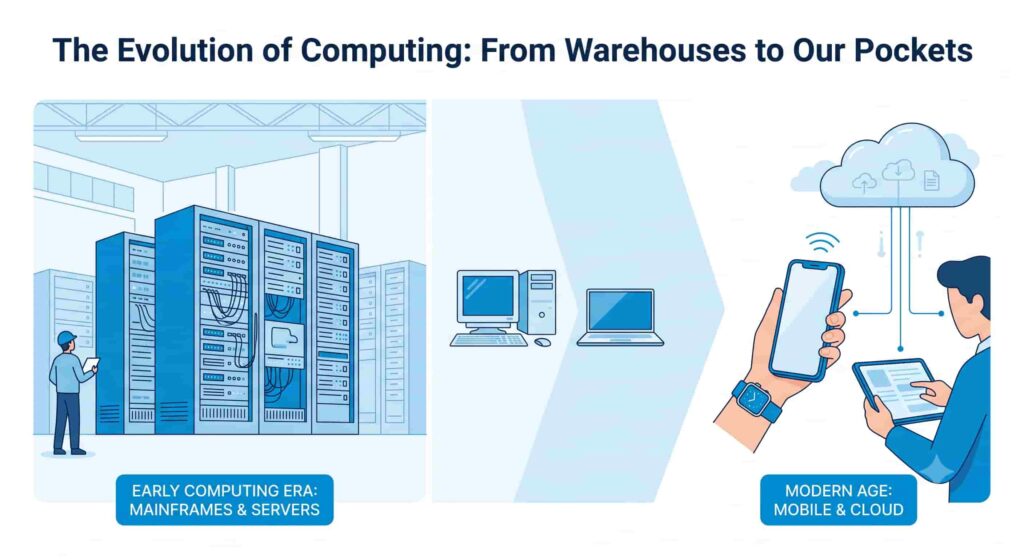
Then came the era of personal computers. We stored our data on floppy disks, which held barely enough memory for a single low-resolution photo today. If you lost that disk, your data was gone forever. To share a file, you literally had to hand the physical disk to someone else.
As the internet was born, companies started building websites and digital services. But doing this required physical hardware. If a company wanted to launch a website, they had to buy a physical computer server. They had to rent a physical room often called an on-premises server room or data center to house it and run the website to provide services to the customers.
They had to pay for the electricity to power it and the massive air conditioners to keep it from melting down. If the website got popular and the server was overwhelmed, the site would crash. The only solution was to order another physical server, wait weeks for it to arrive, plug it in, and configure it.
If the website’s popularity dropped the next month, that expensive server just sat there, gathering dust and wasting money. It was a slow, rigid, and incredibly expensive way to do business.
Then, something revolutionary happened. Tech giants realized they had massive amounts of computing power that they weren’t using all the time. What if they rented out that extra computing power over the internet?
This idea changed the world. It meant that a teenager in their bedroom could rent the exact same computing power as a massive Fortune 500 company, for just pennies an hour. This is the foundation of the modern digital age. This is the cloud.
What is Cloud Computing in Simple Words?
In the simplest terms: Cloud computing is renting someone else’s computers over the internet. Using Microsoft Azure means you’re essentially renting their computers over the internet. The same idea applies to Amazon, Google Cloud, and IBM Cloud.
The Cloud Computing definition explained by Google: What is Cloud Computing? | Google Cloud
By Amazon: What is Cloud Computing? – Cloud Computing Services, Benefits, and Types – AWS
By Microsoft: What Is Cloud Computing? | Microsoft Azure
Rather than buying, owning, and maintaining physical hard drives and servers, you can tap into computing power, storage, and databases from a cloud provider whenever you need them.
When you save a photo to Apple iCloud, Google Drive, or OneDrive, it’s sent over the internet to be stored on their massive servers. If their data center goes down, you could temporarily lose access to your photo.
The Utility Analogy
A simple example to understand Utility Analogy when consuming cloud services.
Think about how you get electricity in your house.
Do you have a massive generator in your backyard? Do you buy coal, shovel it into a furnace, maintain the machinery, and generate your own power? Of course not. That would be incredibly expensive and exhausting.
Instead, you are connected to a power grid. A massive power plant far away generates the electricity. When you want light, you simply flip a switch. The power flows to your house instantly. At the end of the month, the electric company sends you a bill, and you pay exactly for the amount of electricity you consumed.
Cloud computing works the same way, but for using computing power you don’t buy your own servers. You connect to a “computing grid” provided by companies like Amazon Web Services (AWS), Google Cloud Platform (GCP), or Microsoft Azure. When you need to run an app, you flip a digital switch. When you are done with using the resources, you turn it off. You only pay for what you use.
Today, Microsoft (Azure), Google (Google Cloud), and Amazon (AWS) dominate the cloud industry. Together, they provide the majority of computing services that power businesses, apps, and everyday digital experiences worldwide.
Why is the Cloud So Revolutionary?
To truly grasp the basics of cloud computing, we need to understand the massive benefits it provides over the old way of doing things. There are five main reasons the entire world has migrated to the cloud.
1. Cost-Effectiveness (Pay-As-You-Go) Before the cloud, companies had to spend millions of dollars upfront buying hardware like servers, databases, storage etc. This is called Capital Expenditure (CapEx). With the cloud, you switch to Operating Expenditure (OpEx). You rent what you need, paying a monthly bill. If your business fails, you simply turn off the servers and stop paying. There is no wasted investment.
2. Unlimited Scalability (Elasticity) Imagine you run an online flower shop. For 364 days a year, you have normal traffic. But on Valentine’s Day, your traffic skyrockets by 10,000%. In the old days, your server would crash. With cloud computing, the system automatically detects the traffic spike and instantly “spins up” extra servers to handle the load. The moment Valentine’s Day is over, those extra servers turn off, and you stop paying for them.
3. Unmatched Speed and Agility If a developer has an idea for a groundbreaking new app today, they don’t have to wait three months for IT to order and install physical hardware. With a few clicks, they can provision massive amounts of computing resources in five minutes. This allows companies to innovate and experiment at lightning speed.
4. Global Reach Cloud providers have data centers strategically placed all over the globe. If you are a startup in London, you can deploy your application in a data center in Tokyo with one click. This means your customers in Japan will experience a blazing fast app, because the physical computer serving them is right down the street, not halfway across the world.
5. Reliability and Disaster Recovery If you keep all your data on a server in your office, what happens if the building catches fire? The data is gone forever. Cloud providers automatically back up your data across multiple physical locations. If one data center is hit by a tornado, your application instantly fails over to a data center in another city without your users ever noticing.
The Three Core Service Models in Cloud Computing
When you buy a cloud service, you have to decide how much of the technical work you want to manage yourself, and how much you want the cloud provider to manage for you. This is broken down into three main categories.
1. Infrastructure as a Service (IaaS)
This is the foundational layer. With IaaS, the cloud provider gives you the raw, bare-bones infrastructure: virtual computers, storage, and networking.
The Analogy: Renting an empty plot of land. You have the space, but you have to build the house, do the plumbing, and install the electricity yourself.
Real-World Example: Amazon EC2 (Elastic Compute Cloud). You rent a virtual computer. It is completely blank. You have to choose the operating system (like Windows or Linux), install your software, and maintain the security patches yourself. You have maximum control, but it requires the most technical skill.
2. Platform as a Service (PaaS)
With PaaS, the cloud provider manages the underlying infrastructure (servers, storage, operating systems) so that you can focus entirely on writing your application’s code.
The Analogy: Renting a fully built house. The plumbing and electricity are already done. You just need to bring your own furniture (your code) and decorate it.
Real-World Example: Google App Engine or Heroku. A software developer just wants to build a cool game. They don’t want to worry about updating Linux or managing hard drive space. They upload their code to a PaaS, and the platform automatically runs it and scales it for them.
3. Software as a Service (SaaS)
This is the top layer, and it is the one you use every single day. SaaS is a complete, fully finished software product that is hosted by the cloud provider and delivered to the end-user over the internet.
The Analogy: Staying in a luxury hotel room. Everything is provided for you, the bed, the TV, the soap. You just walk in and use it. You don’t manage anything.
Real-World Example: Gmail, Netflix, Spotify, Microsoft 365, Zoom. You don’t manage the servers running Gmail. You don’t patch the code. You simply open your web browser, log in, and use the software.
| Service Model | What it Provides | Who uses it? | Example |
| IaaS | Raw servers, storage, network | IT Admins, System Architects | AWS EC2, Google Compute Engine |
| PaaS | Managed environment for coding | Software Developers | Heroku, AWS Elastic Beanstalk |
| SaaS | Fully finished software application | Everyday End Users | Gmail, Salesforce, Dropbox |
The Three Deployment Models (Where does the cloud live?)
Now that we know how cloud services are delivered, we need to talk about where they live and who has access to them.
1. The Public Cloud
In a public cloud, the infrastructure is owned and operated by a massive third-party provider (like Amazon, Google, or Microsoft). The resources are shared among millions of different customers over the public internet.
The Analogy: Riding a public bus. You are sharing the vehicle with strangers. It is very cheap, very efficient, and you don’t have to worry about maintenance or buying gas.
Pros: Highly cost-effective, infinite scalability, zero maintenance.
Cons: Less customizable security.
2. The Private Cloud
A private cloud is cloud infrastructure dedicated entirely to one single organization. It can be physically located in the company’s own on-site data center, or hosted by a third party, but the hardware is never shared with anyone else.
The Analogy: Owning your own private car. Only you have the keys. You have total control over who gets in it, and you can customize it however you want. But, you have to pay for the maintenance and insurance yourself.
Pros: Maximum security, total control over data privacy, great for strict regulatory compliance.
Cons: Very expensive, requires your own IT staff to manage.
3. The Hybrid Cloud
As the name suggests, a hybrid cloud is a combination of public and private clouds, connected together by technology that allows data and applications to be shared between them.
The Analogy: Owning a car for your daily secure commute (private cloud) but renting a massive moving truck (public cloud) when you need to transport something huge.
Real-World Example: A hospital might keep highly sensitive patient medical records on their highly secure Private Cloud to comply with healthcare laws. But they might use the Public Cloud to run their patient-facing email system or handle massive data analytics, because the public cloud has more power.
Under the Hood: Compute, Storage, and Databases
When technical people talk about building things in the cloud, they are usually talking about combining three fundamental building blocks: Compute, Storage, and Databases. Let’s break these down into plain English.
1. Compute: The Brains
“Compute” is the processing power required to run applications, calculate data, and perform tasks. It is the engine of the cloud. There are a few modern ways cloud compute is delivered:
- Virtual Machines (VMs): The cloud provider takes one massive physical server and uses software (called a hypervisor) to slice it up into multiple smaller, virtual servers. Each virtual server acts exactly like a real physical computer with its own operating system.
- Containers: Containers are a step up from VMs. Instead of packing a whole operating system, a container just bundles the app’s code and the specific tools it needs to run. This makes containers incredibly lightweight, fast to start, and easy to move around. (Think of shipping containers on a cargo ship as they standardize how things are packed).
- Serverless Computing: This is the newest evolution. With serverless, the developer doesn’t even see or think about servers at all. They just write a piece of code (a “function”), and the cloud provider automatically runs it only when it is triggered, charging them down to the exact milliseconds it ran.
2. Storage: The Filing Cabinets
Storage is where you put your data. But in the cloud, all data is not stored the exact same way.
- Block Storage: Imagine a traditional hard drive on your laptop. Block storage chops data into evenly sized blocks. It is extremely fast and is typically attached directly to a Virtual Machine to act as its primary hard drive. It is used for things that require lightning-fast read/write speeds, like running an operating system.
- File Storage: This is like the shared folder in an office network. Data is stored in a hierarchical structure of folders and files. It is perfect when multiple different computers need to access the exact same files at the same time.
- Object Storage: This is the massive, infinite warehouse of the cloud. Data isn’t put in folders. Instead, every piece of data (a photo, a video, a document) is bundled with metadata and given a unique ID number, thrown into a massive flat pool called a “bucket.” It is incredibly cheap and can scale to hold petabytes of data. When you upload a photo to Instagram, it goes into Object Storage.
3. Databases: The Organizers
While storage is where you put raw files, databases are where you put structured, organized information so it can be searched and analyzed instantly.
- Relational Databases (SQL): Think of this like a highly organized Excel spreadsheet with rows and columns. It is incredibly strict. If a column says “Phone Number,” you cannot type letters into it. It is used for financial transactions, customer records, and inventory where data integrity is critical.
- NoSQL Databases: These are more like flexible filing cabinets. They don’t force data into strict rows and columns. They can handle messy, unstructured data like social media posts, sensor data, or user profiles. They are incredibly fast and can scale massively.
Cloud Networking: Connecting the Dots securely
If compute is the brain and storage is the filing cabinet, networking is the highway system that connects everything together and connects it to the internet.
When you create resources in the cloud, they don’t just float freely on the open internet. That would be incredibly dangerous. Instead, cloud providers give you tools to build your own secure, private digital network.
The Virtual Private Cloud (VPC)
A VPC is like buying a private island in the middle of the ocean. It is a logically isolated section of the cloud provider’s network that belongs entirely to you. No one else can see inside it or access it unless you explicitly build a bridge to it.
Subnets: Creating Neighborhoods
Inside your private island (VPC), you can draw lines to create different neighborhoods, called Subnets.
- Public Subnet: This is like the storefront of your business on the island. You put things here that need to face the internet, like your website’s web server.
- Private Subnet: This is the back-office vault. You put sensitive things here, like your customer database. It has no direct connection to the outside internet, keeping it safe from hackers.
Firewalls and Security Groups: The Bouncers
Every virtual computer you launch in your VPC comes with a Security Group. This acts like a bouncer at the door of a nightclub. You give the bouncer a strict list of rules. For example: “Only allow web traffic (Port 80) to enter, and block absolutely everything else.” If malicious traffic tries to enter, the bouncer drops it instantly.
Load Balancers: The Traffic Cops
Imagine a popular fast-food restaurant with only one cashier. The line would go out the door, and people would get angry. A smart manager opens five cash registers and puts a person at the front door directing customers: “You go to register 1, you go to register 2.”
A Load Balancer does exactly this for internet traffic. If 100,000 users visit your website at the same time, the Load Balancer catches all that traffic and distributes it evenly across 10 different virtual servers behind the scenes, ensuring no single server gets overwhelmed and crashes.
Content Delivery Networks (CDNs): The Local Pizza Branches
Let’s say your main cloud server is in New York. If a user in Australia tries to load a large video from your site, the data has to travel through underwater cables across the globe. This takes time, causing annoying buffering for the user,
A CDN solves this. It is a network of smaller servers (called Edge Locations) spread across hundreds of cities worldwide. The CDN takes a copy (cache) of your video and stores it in Sydney, Australia. Now, when the Australian user clicks play, the video is delivered instantly from the local Sydney server, not the New York server.
Cloud Security: Keeping the Bad Guys Out
One of the biggest myths about cloud computing is that it is less secure than keeping your own servers in your own office. The truth is exactly the opposite.
Cloud providers like AWS, Google, and Microsoft spend billions of dollars every year hiring the greatest cybersecurity minds on the planet. Their data centers are guarded by armed security, biometric scanners, and advanced lasers. Your local office server closet cannot compete with that.
However, security in the cloud works on a very specific rule called the Shared Responsibility Model. Understanding this is crucial.
The Shared Responsibility Model
Think of this like renting an apartment.
The landlord (the Cloud Provider) is responsible for securing the building. They provide a sturdy door, they fix the roof, they ensure the foundation is strong, and they hire a security guard for the lobby. This is called Security OF the Cloud. They secure the physical servers, the physical hard drives, and the concrete data center building.
However, as the tenant (the Customer), you are responsible for what happens inside your apartment. If you leave your front door wide open, go on vacation, and your TV gets stolen, that is not the landlord’s fault. That is your fault. This is called Security IN the Cloud.
The customer is strictly responsible for:
- Setting strong passwords.
- Configuring the firewalls properly.
- Choosing to encrypt their sensitive data.
- Deciding which employees get access to which files.
If a company gets “hacked in the cloud,” 99% of the time it is not because the cloud provider failed. It is because the company accidentally left a digital database open to the public without a password.
Identity and Access Management (IAM)
IAM is the central security system of your cloud environment. It is how you determine exactly WHO can do WHAT.
Instead of giving a new employee the master key to everything, IAM allows you to follow the “Principle of Least Privilege.” You create a strict digital ID badge for them. You can say: “This user can view files in the marketing folder, but they are strictly forbidden from deleting files, and they cannot access the finance database.”
Encryption: Scrambling the Data
Encryption is the act of turning your readable data into unreadable data using complex math algoithms. Even if a hacker steals the hard drive, all they see is random numbers and letters. They cannot read it without the digital “key” to unlock it.
In the cloud, you must encrypt data in two ways:
- Encryption at Rest: Scrambling the data while it sits on the hard drive.
- Encryption in Transit: Scrambling the data while it travels through the internet cables from the server to your laptop.
Distributed Denial of Service (DDoS) Protection
A Distributed Denial of Service (DDoS) attack is when a hacker uses thousands of infected computers to flood a website with fake traffic, hoping to overwhelm the servers and crash the site. Cloud providers have massive, built-in shields that can detect this fake traffic and absorb the impact, keeping your website online even during a massive attack.
Real-World Examples: How the Cloud Powers Our Lives
To truly cement the basics of cloud computing, let’s look at how the biggest companies in the world use it to deliver the services you use every day.
1. Netflix (The King of Cloud Scalability)
Netflix does not own massive data centers to stream video to you. Almost the entirety of Netflix runs on Amazon Web Services (AWS). When you log in on a Friday night, millions of other people are doing the same thing. The cloud automatically scales up thousands of virtual servers to handle the Friday night rush. It uses global CDNs to ensure that the movie files are stored on edge servers right in your local city, which is why your movie starts playing instantly in 4K resolution without buffering. On Tuesday at 4 AM when everyone is asleep, the cloud scales those servers back down to save money.
2. Uber (The Master of Cloud Networking and Data)
When you open the Uber app, a complex dance happens in the cloud. The app uses cloud databases to instantly access your user profile. It uses cloud compute to calculate the complex algorithmic math required to match you with the closest driver. It uses cloud networking to constantly ping the GPS location of the driver’s phone and update the map on your screen in real-time. Doing this simultaneously for millions of rides globally is only possible because of the cloud’s massive processing power.
3. Spotify (Big Data and AI in the Cloud)
Spotify hosts millions of songs using Cloud Object Storage. But more impressively, they use Cloud Artificial Intelligence and Data Analytics to power their recommendation engine. The cloud crunches petabytes of data analyzing what songs you skip, what songs you repeat, and what playlists you create to instantly generate your personalized “Discover Weekly” playlist.
4. Airbnb (Global Agility)
Airbnb disrupted the hotel industry without actually owning any physical hotels. Their entire platform the search engine, the high-resolution photo storage for listings, the secure payment processing runs in the cloud. Because the cloud is global, a user in Paris gets the exact same fast, secure booking experience as a user in Tokyo.
The Future: Where Does the Cloud Go From Here?
The cloud has already revolutionized the world, but it is not done evolving. As we look to the future, a few massive trends are shaping the next generation of cloud computing.
Edge Computing
The cloud relies on data traveling back and forth to massive, centralized data centers. But for things like self-driving cars, a delay of even a few milliseconds (latency) while waiting for the cloud to process data could cause a car crash. Edge computing brings the processing power out of the centralized data center and pushes it to the “edge” of the network right into the self-driving car itself, or into a cellular tower on the corner of the street. This allows for instant, real-time processing with zero delay.
The AI Revolution
Artificial Intelligence requires an unimaginable amount of computing power to train. The recent explosion of Generative AI (like ChatGPT) is entirely dependent on the cloud. Cloud providers are now building specialized data centers packed with highly advanced microchips (GPUs) designed exclusively to run AI models. In the future, every company will easily plug AI into their applications using simple cloud services, without needing a team of PhD data scientists.
Multi-Cloud Strategies
In the past, a company might have put all their eggs in one basket, using only Amazon or only Microsoft. Today, companies are getting smarter. They are adopting a “Multi-Cloud” approach. They might use AWS for their raw computing power, Google Cloud for its advanced data analytics, and Microsoft Azure because it integrates perfectly with their employee’s Windows laptops. This prevents them from being locked into a single vendor and lets them use the best tools from each provider.
Conclusion: The Theory Ends Here. Let’s Build.
You now know exactly what the cloud is, how the networking pieces fit together, and what you are actually renting when you deploy a server. You understand the physical datacenters, the hardware, and the ports that allow your applications to communicate.
But cloud computing isn’t something you master by reading it is something you master by doing.
The real power of the cloud isn’t just that it runs the modern world. It is that you have the exact same access to unlimited infrastructure as massive tech companies, and you can deploy it right from your browser in a matter of seconds.
You have the foundation. The reading is over. It is time to jump into the cloud provider portal and deploy your first resource.
Choose your platform below to start your first hands-on lab: (coming soon)
Deploy on Google Cloud Platform (GCP)
Deploy on Microsoft Azure
Deploy on Amazon Web Services (AWS)